Buzzstream Review: How Does it Measure Up?

Buzzstream recently rolled out a beautiful UI update and I've been impressed with their offering for awhile now.

We like to review products which we ourselves use , as well as products that we feel are impressive. For me, Buzzstream fits both of those characteristics.

Buzzstream is a tool that I am fully adding to my toolset for 2012 and I think you should give it a shot as well.

What is Buzzstream?

Buzzstream has two products:

  • Buzzstream for Link Building
  • Buzzstream for Social Media

We will be focusing on the link building tool in this post. Buzzstream for Link Building focuses solely on link building functionality from soup (prospecting) to nuts (tracking, reporting, relationship management).

One of my favorite aspects of this tool is it's dedicated nature. It focuses on making link building more collaborative, more scalable, and more effective. It does all three quite well and reinforces the belief that sometimes a dedicated tool is the answer.

Why Buzzstream for Link Building?

Link building has come so far in recent years with respect to things like degree of difficulty, requirements of quality, as well as the need to track links and manage relationships.

Link building is such a key piece of an online marketing campaign (not just passing link juice but bringing in targeted, quality traffic and building up brand equity) to the point where I think having a robust tool for it makes a lot of sense; especially when you can use a tool like Buzzstream for it.

Here are some of the key features of Buzzstream that we'll be covering here:

  • Link Prospecting
  • Link Reporting and Tracking
  • Contact Management
  • IMAP Email Integration
  • Buzzmarker - Link Bookmarking Tool

Buzzstream Dashboard

The dashboard gives you a good, high-level overview of your account's history and tasks.

You can filter the history by:

  • Showing complete history (notes, emails, twitter, logged calls, blog comments)
  • One of the above mentioned history fields
  • Show for all projects or a specific project
  • All items for/from a user or for/from a specific user

The filtering capabilities are solid and make project spot checks very easy. For a quick export of your history, in .csv format just click on the folder to the left of the task area (in the right column).

Here is what the dashboard looks like:

To the right of the history pane is the task pane as well as recently viewed link prospects. The task pane also offers some good filtering capabilities:

I like the clean, visual look of the dashboard as well as the quick and helpful filtering capabilities. If you are running multiple campaigns with multiple members involved then I think you'll quickly appreciate the way Buzzstream has structured their dashboard.

Link Prospecting

To begin your link prospecting search, you can go to the Websites link and jump right in.

Then click on the Prospects icon to start your research. Here, you will need to set up a profile and up to 20 keywords and keyphrases for the search. I usually name the search after the main keyword I'm looking for, so in this case we'll rock SEO Tools and I'll throw in a couple more specific keywords for the search function.

In addition to prospecting you can specifically search the following countries:

  • USA
  • Canada
  • France
  • Germany
  • Ireland
  • Israel
  • Japan
  • Mexico
  • Netherlands
  • South Africa
  • Sweden
  • Spain
  • UK

You also have your choice between website results, news results, and blog results under the Search Type option.

Also, you can have this auto-run daily for new results (which is a great feature!) as well as have notifications sent to a specific person (you or a team member or contractor) when new results arrive.

If you no longer wish to receive results but want to save the search for later, just click the inactive button and reactivate when needed.

Another cool feature here is the blacklist feature. Dump in sites you wish to exclude from your searches on a per project or account-level basis. This is extremely helpful for streamlining new prospecting searches across your entire account. Block out competitors, your other properties, sites you know you'll never get a link from, etc).

Working With Link Prospects

When you open the profile again you are presented with the results.

The results come with default columns but you can click the Columns icon to play with tons and tons of additional, useful options

Click on that and get all these column options:

Buzzstream Data

  • Website
  • Assigned To
  • About
  • Most Recent Activity
  • Primary Contact
  • Job Title
  • Tags
  • Relationship Stage
  • RSS Feed
  • Links
  • Type

Dates

  • Date Added
  • Date Added To Project
  • Last Modified (any project)
  • Last Modified (this project)
  • Last Viewed (any project)
  • Last Viewed (this project)
  • Last Communication Date

Metrics

  • Followers (twitter)
  • Following (twitter)
  • Updates (twitter)
  • PageRank
  • Compete (UV/mo)
  • Inbound Links - SeoMoz
  • MozRank
  • Juice Passing Links
  • Domain Age
  • Overall Rating
  • Domain Authority

Address

  • Address Type
  • Address Line1
  • Address Line2
  • City
    State
    Zip
  • Country

Social Networks

  • Facebook
  • Twitter
  • LinkedIn
  • Google Plus

Contact Info

  • Preferred Contact Method
  • Email
  • Phone
  • "Contact Us" URL
  • Suggested Profile Info

Prospecting Metrics (for keywords in your search)

  • Highest SERP Position
  • Average SERP Position
  • SERP Count - Top 10
  • SERP Count - Top 20

Buzzstream does a good job here of giving you control over so many different options. The other nice thing here is you can add a bunch of metrics or customize whatever you want, do a quick export, and set everything back to normal if you don't want or need all these metrics every time.

Here's a snippet of what the results look like with no filtering:

From here you can do all sorts of filtering with just about all of the options I outlined above. You can also click on a specific link and manage it at any point:

From here you can do just about anything:

  • Add a task, tag or note
  • Assign it to someone
  • Update the relationship stage
  • Rate the link
  • Put your own custom field in there
  • Copy or move it to another project (love this feature)
  • Remove it from the project
  • Check the WhoIS information
  • Approve it for the project
  • Add to your block list

Also, you can see the Twitter, FB, email, and phone icons next to each link. Buzzstream will pull those in when available. You can also add a site yourself but clicking the Add Site button where you can add as much or as little info as you have or want:

What I like to do is update the search with all the SEO related metrics and then filter (not looking for addresses or anything at this point, just SEO metrics).

Here are the filtering options:

The options pretty much cover everything you can add as a metric to their prospect results page. You can also create a specific filter and save it for future use (a big time saver for ongoing prospect research).

Once you are done filtering out the junk you can begin to work the prospect list by:

  • Assigning it to an employee or contractor or yourself :)
  • Updating the contact history by adding notes about contact history
  • Update the relationship stage

Once the link is secured you can simply add it to the tracking and reporting component by clicking on the link and selecting "approve".

There are so many filtering options and editing options, as mentioned above, that I really encourage you to get in there and play around with it. You can customize it to fit your specific link building needs (big or small) which is a really nice feature to have (a tool that can scale up or down with you and your business).

Link Reporting and Tracking

I went ahead and approved the link-assistant.com domain as being a link I recently secured. To work with approved links you just need to move on over to the Links tab:

Again, you have a ton of filtering options here:

Buzzstream, via the Column tab, gives you lots of helpful data on a per link basis to help with overall link management and reporting:

You can also import all your links by clicking the import tab (Buzzstream gives you a template to use for this right from the import dialog box)

From here the next logical step is to set up link tracking to automatically notify you of any changes to links you are tracking.

Link Tracking

Buzzstream offers automated and manual link tracking. Buzzstream will let you track the following link data types via their automated backlink checker (this runs every 2 weeks) and manual link checker:

  • Newly verified links
  • Links that have changed (anchor text, no-follow, and so on)
  • Links that have been removed
  • Previous linking pages that are 404's
  • Cache Date

You can select who receives this report, and the manual report via email. Manual reports can be completed by going to the links tab and clicking on the Run Backlink Checker Icon:

The report is then delivered to the specified email address (can be changed in project settings) in short order (longer for bigger checks of course).

I would recommend targeting the more important links here. There is a lot of churn on the web and link tracking tools, that are cloud based, do have tracking limits (Buzzstream comes in at 500 links for the basic plan, 25,000 for their Plus, and 100,000 for their Premium Plan). They also have a solo plan for 1 user and up to 1,500 tracked links.

They offer custom plans as well.

Link Reporting

The link reporting is good and is one area where I think they can use some improvement (ability to spit out anchor text distribution reports, upload logos,
automated report emailing, etc).

To generate a report you click on the pie (mmmmm pie) icon on the Links page:

Once you click there you get 2 options:

Link Report - reporting on link opportunities and completed links

Spend Report - reporting on the cost of links that cost money

Here is the dialog box for the Links Report:

Export options are PDF, HTML, and XML for Word and Excel.

The Spend Report is clean and simple to read, here is the dialog box for that:

The reports are quick to generate and clean. I think if they add some more customization options it will be a homerun; it's still better than most reporting options out there.

Keeping Up with Contacts

You can store, add, and access key contacts and their contact information within the People tab

Buzzstream People Tab

As with their other options there is a wide variety of filtering and column customization capability to help you slice, dice, and keep track of key contacts within a specific project (or through an entire account).

You can add in pertinent contact info like their name, numbers, associated websites, social network information, and so on. You can also keep a history of calls, notes, and emails (more on emails in a minute) right inside the contact's information center:

Buzzstream Contact Dialgo

IMAP Email Integration for Conversation Tracking

This is one of my favorite features. You can configure Buzzstream to automatically populate contact history on your link outreach campaigns:

Buzzstream Email Feature

If you are managing a team, or just your own link campaign really, this is a great feature to have. In addition to the other contact management features I mentioned above, this feature adds another layer of helpful contact management. Having CRM functionality inside of a link building tool is quite helpful when we talk about things like scaling link building campaigns and managing teams

When you add your email account you can also send email from Buzzstream. You can select any number of "People" or contacts that you want and work through them one by one by creating an email template (see below) and quickly customizing it to the specific person you are targeting

Using canned responses in Gmail is similar but the difference here is the integration with Buzzstream and the ease of going right through a selected list of contacts (and having it saved in their contact history automatically).

Buzzstream Outreach

Lots of people use BuzzStream as a database of all their prospects/partners and then slice and dice them for campaigns. So, for example, suppose you are trying to secure guest posts. You go to All Contacts (contacts for your whole account, not just one project) and select everything tagged "finance" that's a "guest post" type and that's linked to you in the past.

After that, you take those contacts of known finance guest post opportunities, copy them to a new project and then work that list. You cover a lot of this in your filter descriptions. Essentially, use the tagging and filtering system to build your own database for rinse and repeat solutions.

You can also track Twitter stuff (which can get out of hand quickly in terms of back and forth contact, real time) and works the same way as Buzzstream's IMAP integration.

For the Twitter tracking you can basically import a bunch of twitter lists into BuzzStream, start retweeting their content and then filter to find everyone you've retweeted three days ago (filter by: Communication History=tweet, contact modified=3 days ago).

Save this filter and you have a list of people to follow up with on a regular basis. You can then send a template-based email that refers to the retweet and use that as a quick in to perhaps securing a link opportunity.

The Buzzmarker

Buzzstreams' Buzzmarker gives you the ability to save a prospect's information from any browser. To set up the Buzzmarker you just go into your settings and drag the bookmarklet to your toolbar :D

Buzzstream Outreach

Here is a snippet of the Buzzmarker dialog box:

Buzzstream Outreach

Anytime you come across news stories, blog posts, and Twitter feeds that you want to store for future work inside of Buzzstream all you do is click on the Buzzmarker

The Buzzmarker pulls in lots of information and gives you options to do a variety of things like:

  • Add a task for the clipping
  • The ability to gather and note link information like acquistion method and link type, also checks to see if the site is linking to you already
  • Add contact info and social media profiles
  • Links through to contact info search in Google, Pipl, as well as Twitter and Linkedin Profile search via Google, Twellow, and Linkedin

Give Buzzstream a Shot

If you are looking for a strong link building tool which incorporates any of the features below, you should give Buzzstream a try:

  • Built in Link Prospecting
  • CRM Functionality
  • Scalability
  • Ease of Use
  • Permission and Access Control for Teams
  • Link Tracking and Reporting

Buzzstream is a quality link building and link management tool that is certainly worth trying out if you are engaged in link building activity. The reporting is stronger than most other options out there but I think they can do even better with it after seeing what they've done on the inside. If you do try them out let us know what you think in the comments!

Take it for spin, they have free trials available over at Buzzstream.Com.

The Decline of Organic Links Infographic

Sharing is caring!

Please share :)

Embed code is here.

How Google Hit Organic Links.

For many years it was true that SEO = links, but due to the rise of rel=nofollow, fearmongering & social media, organic links have lost much of their relative importance in many verticals.

Links are still valuable in some areas of course, but where the search results are full of listings from Google.com, pushed below the fold from larger AdWords ads and/or heavily skewed by things like brand bias there is much less value in link building in numerous big money markets. After all, few care who ranks #1 if #1 is below the fold!

Google Admits 'Organic Results' Are Filler To Pump Deceptive Ads at Consumers

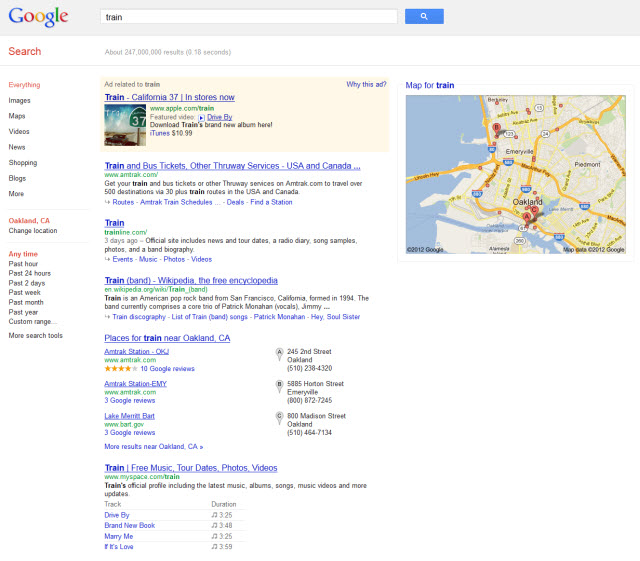
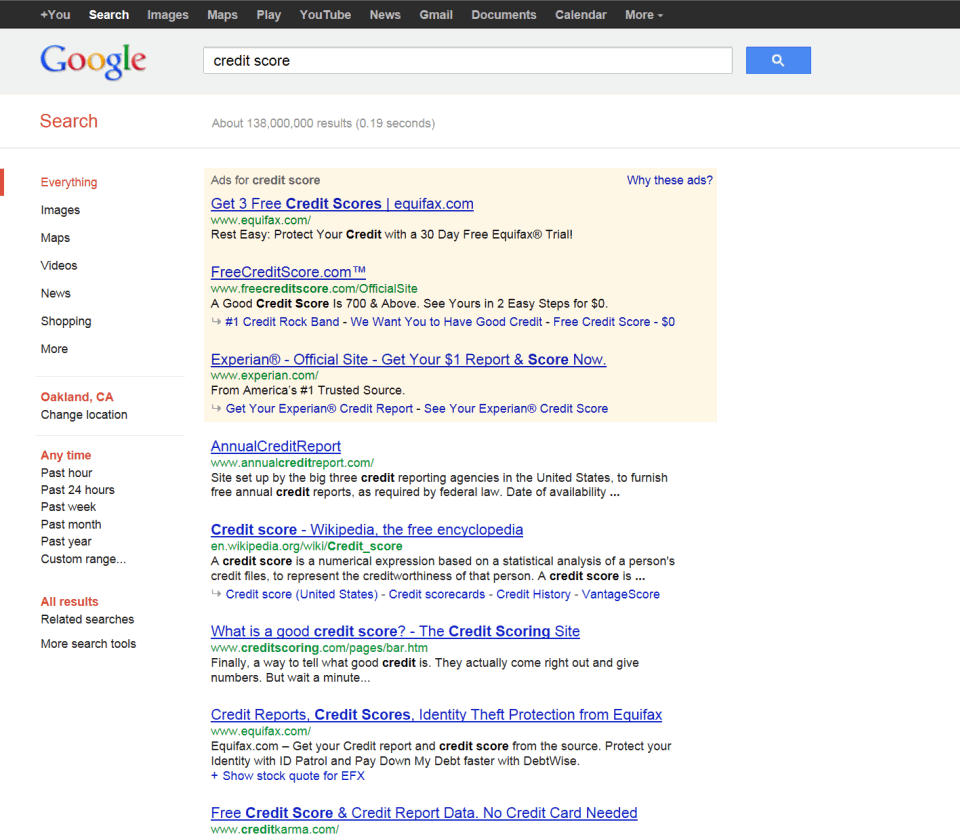
Some of Google's new search results look quite alarming in terms of every single link above the fold is either a paid ad, or links to yet another Google page wrapped in ads.

I have a huge monitor & it is impossible for me to click *anywhere* above the fold on some search results without going through Google's toll booth or clicking off to yet another Google ad wrapped page.


(click on the image for the full sized view)

Some people have given Google the benefit of the doubt "well this is just vertical search" and "this is just for the consumer" but we see that in many cases it harms consumers by limiting choice:

Charlie Leocha, the director of the Consumer Travel Alliance, says Google Flight Search is “limiting consumers’ knowledge.” He explains, “this is a situation where Google is trusted as a ‘search engine’ that goes across the whole Web, but it is only going to a small select group of airlines and including them in Flight Search.”

The bottom line?

According to Leocha, “Google and the airlines have a sweetheart deal with each other, and the consumers are getting screwed.”

Those who coddled Google & gave Google the benefit of the doubt now have egg on their face, and the industry as a whole is poorer for their poor judgement & lack of stewardship.

As absurd as the above behavior is, it gets worse. When Google acquired DoubleClick, Larry Page wanted to keep Performics (an SEO/SEM company). But since it would have been a flagrant violation of law for him to run an SEO company, they now decide that nobody should run an SEO company...telling consumers to simply forget about SEO even when they specifically search out information about SEO!

Google recently ran AdWords ads with the following copy when consumers searched Google for SEO information:

“Forget about SEO. To be visible in Google today, try Adwords”

You know Google's slogan: "maybe the best ads are just answers." And sometimes they are misdirection or scams that quite literally kill people.

You can't be 100% certain which is which until long AFTER you click. And by then Google's cash register has already rang & it is off to dupe the next person.

Comments turned off, as this is a conversation that NEEDS TO SPREAD. If you run a blog about SEO, you owe it to your readers & your industry to cover this topic. If this topic doesn't get broad coverage then pretty soon your career might be over & you will deserve it too.

Google Biz Dev Beats the Google Engineers Again

Since Panda has happened I (and others) have highlighted how brands have ranked doorway pages, ranked scraped 3rd party content, padded out crap "content farm" content to suck in search traffic, took their market leading position & used it to deliver inferior experiences, bought out bankrupt competitors & redirected the PageRank, engaged in off-topic affiliate extension (Barnes & Noble, Overstock, Overstock AND Barnes & Noble), etc etc etc

At the same time, independent webmasters face greater uncertainty than ever (legal, personal property rights, and from alleged "quality" algorithms like Panda & editorial crackdowns from Google engineers).

If you are not operating at scale, you are an inefficiency which must be expunged from the marketplace.

I have maintained that Panda was a joke & a diversion to re-frame the quality debate as Google dialed up on inserting their own vertical results in the search results, allowing them to monetize the "organic" search results.

Such a view may have been seen as cynical, but it is something that more people are realizing as true. Read this great article from Tom Foremski on ZDNet.

Google's percent of downstream traffic to YouTube has more than doubled since Panda.

You know how John Stewart or George Carlin have to present reality as a joke to express it? Well watch the above video & then read this article:

“Every single leading company is waiting for user-generated content or is licensing content” in order to reach advertisers, Rosenblatt said. “YouTube was tired of waiting. They told us that they needed a home and garden channel, a pets channel and a health/Livestrong channel. They are paying us up front, plus a rev share. This is the beginning of them funding professional content creators.”

I have mentioned Demand Media's video "efforts" before.

But my opinion doesn't matter.

As a monopoly, only Google's does.

And they decided to subsidize Demand Media while torching your site.

Google Longtail Keywords Infographic

Sharing is caring!

Please share :)

Embed code is here.

How Google Killed the Longtail Infographic.

The Walmartization of the Web (Literally)

Walmart is getting much more aggressive with their online strategy:

With some 1.4 million employees on its U.S. payroll, Walmart's world is about as large as the state of Maine. That's massive by any standard, but when you consider how social media amplifies that number, it's not simply a huge group but an influential one. No small wonder, then, that the earth's largest employer is taking greater measures to motivate and mobilize its people -- and opening up more opportunities for consumer brands to also reach them along the way.

These brands can not only leverage internal resources to further build off the boost Google offers them, but they can then take that attention and sell it back off to the highest bidder:

It's not clear how much ad revenue Walmart World has made or whether MyWalmart.com will become a profit center. But the former already takes in millions of dollars annually in ads from vendors seeking an audience with Walmart employees, according to people familiar with the matter.

If Google consolidates markets too aggressively then ultimately they create competition for themselves through vertical ad networks. In some cases (say travel) Google can buy out the market plumbing & then reassert control:

Wertheimer drew some criticism when he explained that “our airline partners were very clear” that they wouldn’t participate in Google Flight Search if online travel agency booking links were included in the core flight-search results.

But Google doesn't have that same influence over retail & each time they put the big brands front and center the more they reinforce that 3rd party dominance.

In addition to leveraging their workforce, it is also quite easy for these brands to use customer incentives to dominate social media.

Amazon.com is also carrying far more ads these days & they sell ads on 3rd party sites.

The above is another reason why Google is pushing so hard to control the second click. If they can taste the traffic again they add efficiency to their own model while introducing another layer of friction to other retailers.

When users finally manage to leave the Google click circus, Google tries to pull them back into Google with the Google Related toolbar

In the above quoted AdAge article there is some skepticism around how much a company like Walmart can get out of underpaid wage slaves:

"It's really hard when you're a person making poverty-level wages, just had your health-care premiums raised 60%, and you can only get part-time hours, to be a good ambassador for the brand, no matter how much you love it," said Jennifer Stapleton, spokeswoman for Making Change at Walmart.

However I think that skepticism is misplaced, as the less a person has the more thankful they tend to be for the little bits they do have. Most people who have nothing do not realize how systems are engineered to screw them over.

It is only when you have free time to think & are not clouded by arbitrary short-term stress that you can ponder the bigger & more uncomfortable questions in life. As long as you don't consider those uncomfortable questions it is far easier to push anything, because you don't know any better.

"The entire web has become full of garbage. The web has become almost a digital Detroit." - Roger McNamee.

If Walmart's strategy works then this ultimately will be why Google's brand-only approach to search will fall flat on its face. If this is successful I would then expect Google to put out some public relations drivel about celebrating the diversity of the web & move away from brand in the next 2 or 3 years.

In the meantime, I expect Google to keep increasing search complexity such that it's prohibitively expensive to make & market a small independent commercial website. That will force many smaller companies to live inside the Google ecosystem, with Google ranking the Google-hosted pages/products/locations for those companies, so that they can serve ads against them and get a bigger slice of the revenues.

Google's ad network is far more profitable than even the lowest waged employee, as it doesn't need to be fed & is designed to be an agnostic & amoral yield optimization tool. And it is effective enough that the biggest retailers are now becoming ad networks.

Average products for average people - with ads everywhere.

Welcome to the WorldWideMart. ;)

BOTW Cyber Monday Coupon

Only a few hours left in the discount, but its a great deal. :)

From their email:

50% Off all BOTW Products on Cyber Monday!

Don't miss out on our biggest discount of the year!

Promo Code: STUFFED50
Submit Today

Get Listed at Half the Price!

A directory listing in Best of the Web is a vote of confidence for your business website. Only today can you receive all the benefits of a BOTW listing at half the regular cost. This offer is only good for Cyber Monday, so submit now to take advantage of these savings!
Submit to the Web Directory
Submit to the UK Directory
Submit to the Blog Directory 

A 50% coupon gives you the lifetime listing for only $149, which is what the annually recurring cost normally is...so by using the coupon today you pay for a 1-year listing & it stays permanent.

Google Loves Brands

Sharing is caring!

Please share :)

Embed code is here.

Google Brands.

Cloaking: Survey Says?

In the below video Matt Cutts states that "there is no such thing as white hat cloaking" ...

... yet Google is testing a new ad unit where users have to fill out a survey before they can view the content.

How long until the surveys include something like:

  • did you vote in 2008
  • what presidential candidate did you vote for
  • how do you feel about issue x
  • how strongly do you feel about your opinion on x

Then after the survey: "Thanks for your feedback. Candidate y supports your views on issue x."

Advertisers then get a report like: "in Ohio, 84% of the 289,319 swing voters with an average household income between $32,400 and $67,250 think issue x is vitally important and have a 6:1 bias toward option A. They respond to it more strongly if you phrase it as "a c b" and are twice as likely to share your view if you phrase it that way. The bias is even stronger amongst women & voters under 50, where they prefer option A by a factor of 9:1."

Couple that ability to flagrantly violate their own editorial guidelines with...

... & Google is in an amazing position politically.

It is thus not surprising to see how politicians have a hard time being anything but pro-Google, as they are the new Western Union.

This isn't the first time Google experimented with cloaking either. Threadwatch had a post on Google cloaking their help files years ago & YouTube offers users a screw you screen if they are in a country where the content isn't licensed - yet they still show those cloaked pages ranking in the search results.

“The most perfidious way of harming a cause consists of defending it deliberately with faulty arguments.” ― Friedrich Nietzsche

It is common knowledge that you shouldn't mix business and politics, however if one looks at history, many of those who gave us those sage words did precisely the opposite - and often illegally so - selling us down the river.

What is so obnoxious about Google's survey trial is that a big site that was hit by Panda was hit because they used scroll cloaking & didn't let the users get to the content right away. Googlers suggested users didn't like it & voted against it, and then roll out the same sort of "wait 1 moment please" stuff themselves as a custom beta ad unit.

And today Google just announced that they might create an algorithm which looks at ad placements on a website as a spam signal outside of Panda:

“If you have ads obscuring your content, you might want to think about it,” asking publishers to consider, “Do they see content or something else that’s distracting or annoying?”

On the one hand they tell you to optimize your ad placements & on the other they tell you that those were not optimal & are so aggressive that they are spam.

For a while there was a period of time where you could use something like "would Google do this" as a rule of thumb for gray area behavior.

In the current market that won't work.

“No man has the right to dictate what other men should perceive, create or produce, but all should be encouraged to reveal themselves, their perceptions and emotions, and to build confidence in the creative spirit.” ― Ansel Adams

As ad units get more interactive & Google keeps eating more verticals the line between spam vs not will keep blurring.

Perception is everything.

“We are all in the gutter, but some of us are looking at the stars.” ― Oscar Wilde

Is Google Too Big To Fail?

Too big to fail.

We are better off if we ignore what Google is saying and follow one thing: Google wants more money for Google. When we make this assumption, everything Google does makes sense. Deception and doublespeak are logical and expected rather than shocking and upsetting.

When it comes to scale, as pointed out with Groupon, all of these rules go out the window. If you look at the biggest advertisers, replace their account with one with no history and the brand "Geico" with "SEOBook auto insurance" and the campaign will simply not run. You are spam. In some cases larger advertisers are able to run ads which are clearly deceptive and go against guidelines which they actively enforce on smaller advertisers. I have a strong suspicion now that this is in fact institutionalized in Google's rating process rather than any employee going out of their way to overturn some sort of penalty.

Google will not disrupt a site or advertiser that will negatively impact their own quarterly earnings. When Google does disrupt one, it is because they have a backup in place. That backup may be their own internal project or a competitor of yours who sends 95% of their advertising through Google's ad platforms. When Google claimed they were going after content farms, and Demand Media's properties (which are explicitly spam) were spared, the reason was obvious, because it would have visibly impacted their bottom line.

Brand is a deceptive concept. A hairy, smelly drug addict that compulsively molests women is not a sex offender but rather a globally famous rock star. Much the same holds true to many of the biggest brands. As long as a brand spams, that spam is opaque to Google's customer base and their customers do not bring a negative association with Google's brand. However, when that same hairy, smelly drug addict is anonymous he is a nuisance which destroys your reputation when you publicly associate yourself with him.

Google is like an oil company which not only dictates the price of oil but also chooses where an oil field will exist. Google is now "too big to fail" as indicated by the recent DOJ investigation which could have resulted in a felony charge for their co-founder, and most certainly would have for a smaller firm without $500m of liquid cash. We should be thankful that visitors are still directed to our websites when they could simply receive excerpts of what they are searching for.

My conclusion: first, I monetize my existing sites with Google's own products as much as possible. Second: I no longer invest my time or money in new businesses that require Google's traffic. Google should expect more walled content gardens in their future. Google's biggest challengers such as Facebook and Apple recognize this, and their platforms are very much walled gardens. That is too bad for the web as we know it today.

As a consumer I want Google to have the best, most trustworthy experience possible. They can fight SEOs and affiliates all day long and it doesn't bother me. I fully expected the innovative waves that helped the web destroy old media do the same again to itself. But, when Google lies, and do things that in fact damage that consumers experience no longer can I defend Google (when eHow first started popping up in 50% of the searches I did I was shocked; I am absolutely appalled they still show up on page 1 for anything, the articles are obviously written by authors that re-hashed another article in 10 minutes and often factually incorrect on top of it.)

---

Andrew Johnson submitted the above (less the image) as a comment here, but we thought it deserved to be its own post on the blog so more people get to see it.

Pages